Bk11 APK Download Free For Android Users 2026
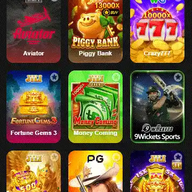
In short, Bk11 (v3.0.1.2) is a compact Android Games app for quick sessions, with a clean lobby and a tidy account area. Nothing about it feels bolted on or rushed. It also ships a full library covering JILI.
| Developer | MobileSpin Labs |
|---|---|
| Size | 24.4 MB |
| Downloads | 7,465+ |
| Updated | Nov 12, 2026 |
| Version | V6.6.5.11 |
| Rating | 4.50 / 5 |
| Requirements | iOS |
Bk11 APK Download Free For Android Users 2026
In short, Bk11 (v3.0.1.2) is a compact Android Games app for quick sessions, with a clean lobby and a tidy account area. Nothing about it feels bolted on or rushed.
For players tired of bloated installers, Bk11 keeps its APK footprint modest while covering the essentials. It leaves room for the rest of your phone to do its job.
At its core, Bk11 is a mobile-first platform built around short, repeatable sessions. That decision keeps the app approachable for newcomers.
Keep your device OS current; system fixes protect every app including Bk11. Returning users notice the same behavior every time.
Log out after sessions on shared devices. The result is a calmer, more predictable session.
Pin the app to the home screen, since most sessions start with a single tap. That decision keeps the app approachable for newcomers.
Rankings aside, GOLDS bonus offers a useful contrast to Bk11. It is simple on the surface, considered underneath.
Players who want quick access with minimal setup tend to prefer Bk11 over heavier alternatives. It is a small detail that matters over weeks of use.
Payment coverage is the most common regional difference users notice. Returning users notice the same behavior every time.
If a payment method is missing, it is usually a regional restriction rather than a bug. This keeps day-to-day use predictable.
Review permission grants once a month from Android settings. The approach holds up after a few weeks of regular use.
Restart the device before reinstalling; it resolves more issues than expected. For a phone-first app, that is the right priority.
Transaction options depend on your region. The account area lists supported methods with their limits. Always verify the recipient details before confirming any transfer, and keep confirmation messages until the transaction settles.
If a screen freezes, close Bk11 from the recent-apps view and reopen. This keeps day-to-day use predictable.
- Frequent small updates that keep the app current
- Phone-first design that respects screen size
- Fast, lightweight lobby that opens in seconds
- Feature depth is intentionally limited
- Some sections depend on regional availability
The app remembers display preferences per device instead of tying them to the account. Nothing here asks more of your device than necessary.
Load times stay consistent on mid-range hardware, not just on flagship devices.
Version 3.0.1.2 trims screen-to-screen waiting noticeably compared with earlier releases. The behavior stays consistent across versions.
The lobby opens directly into the most-used sections, so everyday actions rarely take more than two taps. It is a deliberate trade that favors reliability.
If a screen ever freezes, close the app from the recent-apps view and reopen it. Persistent issues are usually fixed by clearing the app cache from Android settings.
Bk11 avoids deep hierarchies, preferring one lobby with clearly labeled destinations. The result is a calmer, more predictable session.
1. Open the download page on the device you will use.
2. Tap download and wait for the full file.
3. Open the APK and confirm the prompt.
4. Sign in or create an account.
You can uninstall cleanly at any time.
If a screen freezes, close Bk11 from the recent-apps view and reopen it.
A confirmed account also speeds up any future recovery process. Most of the polish is invisible until you need it.
Sessions persist between launches until you explicitly sign out. Most of the polish is invisible until you need it.
Installing the new APK over the old build is enough; no uninstall step is needed. It is a small detail that matters over weeks of use.
If Android flags the file, confirm the source matches the official page first.
Feature parity matters less than reliability; Bk11 chooses the latter where it can.
Sessions resume where they stopped, even after a full device restart.
The install size leaves room for other apps even on tighter storage. It scales from older phones to current ones without drama.
For new players, Bk11 works like most modern apps: create an account, browse the lobby, use the built-in tools. You feel the difference most on a busy phone.
Heavier platforms offer more sub-features, but Bk11 answers with consistency and fewer surprises. It leaves room for the rest of your phone to do its job.
Only provide the details the form asks for; extra fields are not required. Power users will appreciate that it stays out of the way.
Keep automatic updates enabled where your source supports them. The trade-off is visible only to people who compare closely.
Among similar apps this season, players compare notes on Paki Casino casino.
Avoid modified copies of Bk11; unofficial rebuilds can add anything to the package.
Check the promotions tab before big sessions; new offers appear quietly. Reviews tend to mention this point first.
Compared with SLOTSPK casino, the feature set overlaps, but Bk11 keeps the menus shallower.
A search function inside the lobby helps you reach specific sections without scrolling through the full list.
A welcome offer, if present, activates from the promotions tab after registration. The choice fits how most people actually use a phone.
Screenshot transaction confirmations until they settle. The behavior stays consistent across versions.
Approach Bk11 as a focused tool, and it compares favorably to bloated rivals. For a phone-first app, that is the right priority.
The site catalog keeps a ranked list where Bk11 holds a stable spot. It is the kind of choice you notice only when it is absent.
The 3.0.1.2 build detects basic regional settings automatically during setup. Reviews tend to mention this point first.
Transaction options depend on region; the account area lists supported methods with their limits. It is a deliberate trade that favors reliability.
1. Check available storage on the device first.
2. Download the 3.0.1.2 package from a trusted source.
3. Open the APK and confirm installation.
4. Launch the app and complete the first-run tour.
Keep your recovery details accurate so account recovery works when needed.
Older builds keep working, but 3.0.1.2 fixes minor display glitches on smaller screens. You feel the difference most on a busy phone.
A compact quick-actions bar keeps the top destinations visible at all times.
Search inside Bk11 reaches any section without scrolling through the full list. It scales from older phones to current ones without drama.
- Strong load consistency
- Clear transaction records
- Region-aware defaults
- No aggressive popups
Overall, the strengths outweigh the limits for quick-session users.
Where others add layers, Bk11 removes steps; that philosophy defines every screen.
Against similar apps, the 3.0.1.2 build wins on load times rather than raw feature count.
Players who liked Bk11 last month are trying a newer entry with a similar style.
Try Bk11 today: download, install, and your first session is moments away.
A small, dependable app that does its job without fuss.
In short, Bk11 (v3.0.1.2) is a compact Android Games app for quick sessions, with a clean lobby and a tidy account area. Nothing about it feels bolted on or rushed.
What is Bk11?
For players tired of bloated installers, Bk11 keeps its APK footprint modest while covering the essentials. It leaves room for the rest of your phone to do its job.
At its core, Bk11 is a mobile-first platform built around short, repeatable sessions. That decision keeps the app approachable for newcomers.
Bk11 safety and account notes
Keep your device OS current; system fixes protect every app including Bk11. Returning users notice the same behavior every time.
Is Bk11 Safe?
Log out after sessions on shared devices. The result is a calmer, more predictable session.
Pin the app to the home screen, since most sessions start with a single tap. That decision keeps the app approachable for newcomers.
This Week in Android Games
Rankings aside, GOLDS bonus offers a useful contrast to Bk11. It is simple on the surface, considered underneath.
Players who want quick access with minimal setup tend to prefer Bk11 over heavier alternatives. It is a small detail that matters over weeks of use.
Availability by Country
Payment coverage is the most common regional difference users notice. Returning users notice the same behavior every time.
If a payment method is missing, it is usually a regional restriction rather than a bug. This keeps day-to-day use predictable.
Tips for New Users
Review permission grants once a month from Android settings. The approach holds up after a few weeks of regular use.
Restart the device before reinstalling; it resolves more issues than expected. For a phone-first app, that is the right priority.
Payments and Transactions
Transaction options depend on your region. The account area lists supported methods with their limits. Always verify the recipient details before confirming any transfer, and keep confirmation messages until the transaction settles.
If a screen freezes, close Bk11 from the recent-apps view and reopen. This keeps day-to-day use predictable.
Weighing Bk11
- Frequent small updates that keep the app current
- Phone-first design that respects screen size
- Fast, lightweight lobby that opens in seconds
- Feature depth is intentionally limited
- Some sections depend on regional availability
Key Features of Bk11
The app remembers display preferences per device instead of tying them to the account. Nothing here asks more of your device than necessary.
Load times stay consistent on mid-range hardware, not just on flagship devices.
Version 3.0.1.2 trims screen-to-screen waiting noticeably compared with earlier releases. The behavior stays consistent across versions.
The lobby opens directly into the most-used sections, so everyday actions rarely take more than two taps. It is a deliberate trade that favors reliability.
If a screen ever freezes, close the app from the recent-apps view and reopen it. Persistent issues are usually fixed by clearing the app cache from Android settings.
How People Use Bk11
Bk11 avoids deep hierarchies, preferring one lobby with clearly labeled destinations. The result is a calmer, more predictable session.
Install Bk11 on Android
1. Open the download page on the device you will use.
2. Tap download and wait for the full file.
3. Open the APK and confirm the prompt.
4. Sign in or create an account.
You can uninstall cleanly at any time.
If a screen freezes, close Bk11 from the recent-apps view and reopen it.
Account and Profile Basics
A confirmed account also speeds up any future recovery process. Most of the polish is invisible until you need it.
Sessions persist between launches until you explicitly sign out. Most of the polish is invisible until you need it.
Version 3.0.1.2 Changes
Installing the new APK over the old build is enough; no uninstall step is needed. It is a small detail that matters over weeks of use.
If Android flags the file, confirm the source matches the official page first.
How Bk11 Differs from Rivals
Feature parity matters less than reliability; Bk11 chooses the latter where it can.
Sessions resume where they stopped, even after a full device restart.
The install size leaves room for other apps even on tighter storage. It scales from older phones to current ones without drama.
The Bk11 Experience
For new players, Bk11 works like most modern apps: create an account, browse the lobby, use the built-in tools. You feel the difference most on a busy phone.
Heavier platforms offer more sub-features, but Bk11 answers with consistency and fewer surprises. It leaves room for the rest of your phone to do its job.
Sign Up and Sign In
Only provide the details the form asks for; extra fields are not required. Power users will appreciate that it stays out of the way.
Keep automatic updates enabled where your source supports them. The trade-off is visible only to people who compare closely.
What Other Players Are Trying
Among similar apps this season, players compare notes on Paki Casino casino.
Staying Safe with Bk11
Avoid modified copies of Bk11; unofficial rebuilds can add anything to the package.
Check the promotions tab before big sessions; new offers appear quietly. Reviews tend to mention this point first.
What Makes Bk11 Useful
Compared with SLOTSPK casino, the feature set overlaps, but Bk11 keeps the menus shallower.
A search function inside the lobby helps you reach specific sections without scrolling through the full list.
Wallet and Payment Methods
A welcome offer, if present, activates from the promotions tab after registration. The choice fits how most people actually use a phone.
Practical Tips
Screenshot transaction confirmations until they settle. The behavior stays consistent across versions.
Choosing Between Similar Apps
Approach Bk11 as a focused tool, and it compares favorably to bloated rivals. For a phone-first app, that is the right priority.
The site catalog keeps a ranked list where Bk11 holds a stable spot. It is the kind of choice you notice only when it is absent.
Region-Specific Details
The 3.0.1.2 build detects basic regional settings automatically during setup. Reviews tend to mention this point first.
Transaction options depend on region; the account area lists supported methods with their limits. It is a deliberate trade that favors reliability.
Bk11 Installation Walkthrough
1. Check available storage on the device first.
2. Download the 3.0.1.2 package from a trusted source.
3. Open the APK and confirm installation.
4. Launch the app and complete the first-run tour.
Keep your recovery details accurate so account recovery works when needed.
Latest Release Notes
Older builds keep working, but 3.0.1.2 fixes minor display glitches on smaller screens. You feel the difference most on a busy phone.
A compact quick-actions bar keeps the top destinations visible at all times.
Search inside Bk11 reaches any section without scrolling through the full list. It scales from older phones to current ones without drama.
Advantages and Trade-offs
- Strong load consistency
- Clear transaction records
- Region-aware defaults
- No aggressive popups
Overall, the strengths outweigh the limits for quick-session users.
Where others add layers, Bk11 removes steps; that philosophy defines every screen.
How Bk11 Compares
Against similar apps, the 3.0.1.2 build wins on load times rather than raw feature count.
Players who liked Bk11 last month are trying a newer entry with a similar style.
Answers to Common Questions
Is Bk11 safe to install?
It is safe from a trusted source; verify 3.0.1.2 and check permissions first.
Does Bk11 use much mobile data?
Daily use is light; media-heavy sections use more, so prefer Wi-Fi.
Can I change the language?
The app follows device language on first run; more options appear when available.
Can I install Bk11 on a tablet?
The APK installs on most Android tablets, though the layout is tuned for phone screens.
Final Thoughts
Try Bk11 today: download, install, and your first session is moments away.
A small, dependable app that does its job without fuss.
Leave a comment